Submitting a Quote Request

Table of Contents

Step 1: Add Items to Your Quote List

  • Create a User Account: It is highly recommended to create an account before sending a quote request. Having an account allows you to manage and view your quotes from your account dashboard.
  • Browse Products: Go to the product page of the item you need.
  • Click the “Add to Cart” button — you’ll find it right below the product description.
  • Repeat for any additional items you’d like to include in your quote.

💡 Tip: Not every item has pricing listed online. Adding them to your quote list allows our team to provide you with accurate, up-to-date pricing and availability.

Step 2: Converting Your Cart into a Quote

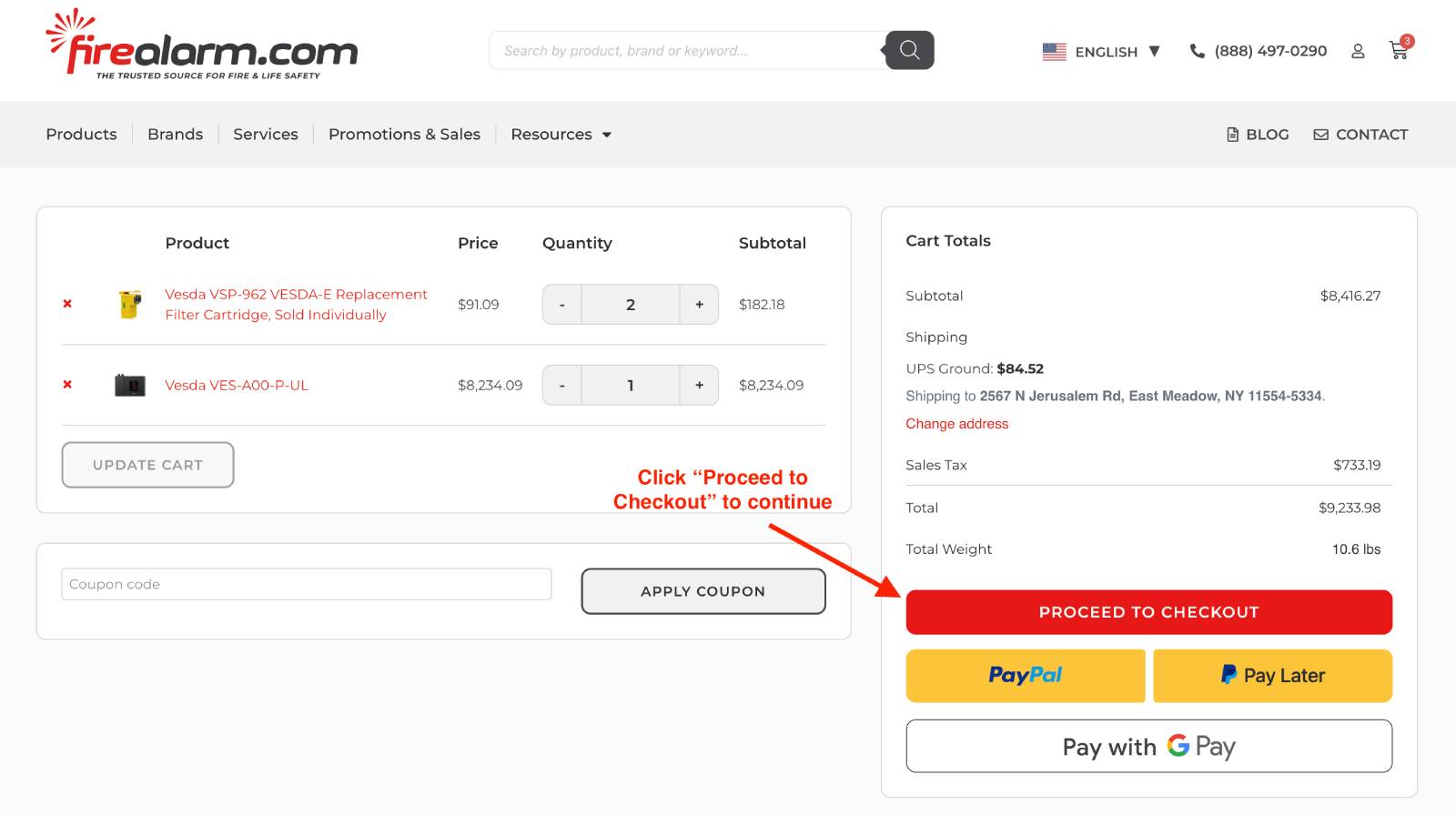
Go to your Cart, it’s icon is shaped like a shopping cart on the top right corner of the screen

Here, you can:

  • Adjust quantities
  • Remove any items
  • Add notes or special instructions

Once you are ready to continue with requesting your quote, click “Proceed to Checkout”
Step 3: Submit Your Request

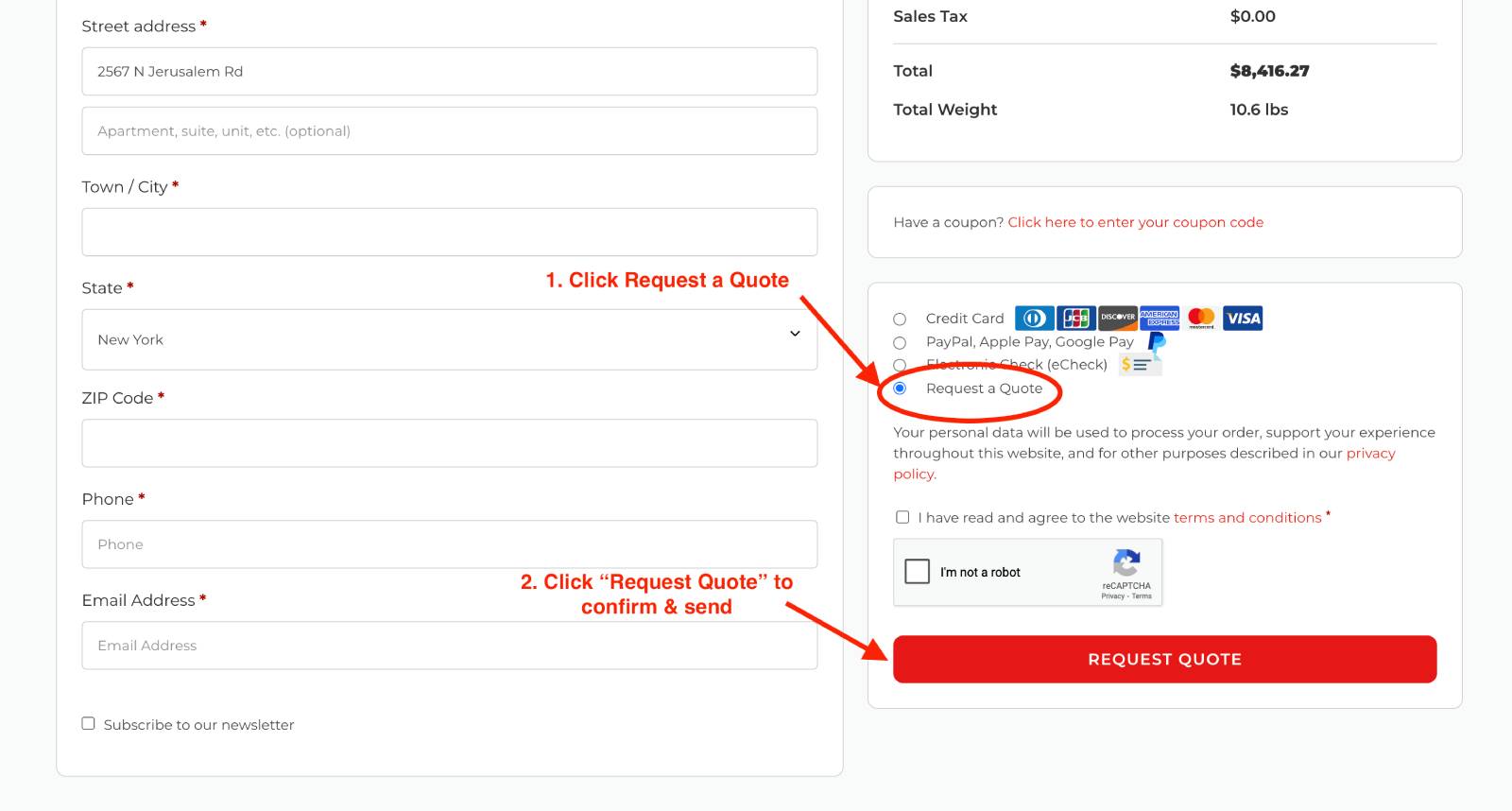
Fill out your billing and shipping information as normal

  • Name
  • Email
  • Company (optional)
  • Phone number
  • Any specific project notes you think we should know.

Once you’ve filled out this information, Where it reads “Agreement” you’ll find the button that reads
“Request a Quote”. When you’re ready to submit, select “Request a Quote”, agree to the terms and conditions, then go ahead and hit “request quote”. You will not be charged anything to request a quotation.

Our team will review your request and get back to you with a custom quote in 1–2 business days.
What Happens After?

Once submitted:

  • You’ll receive an email confirmation.
  • Our sales team may contact you if more details are needed.
  • You’ll get your official quote with pricing and product availability

Still Have Questions?

Check out our Contact Page or you can always reach us at 888-497-0290

or [email protected]. We’re happy to walk you through it.

Related Topics:

Checking Your Order Status

Can I place an Order Over the Phone?

Converting Your Quote to an Order

Help us improve